Playtest Capture
Mark what you noticed while playing, compare the current and proposed values as A and B, choose what feels right, and confirm the value that was saved. Live comparison and supported reversal are in development for early access.

Playtest tune review
goal: Capture the last jump under night lighting and decide whether the landing pad is readable.
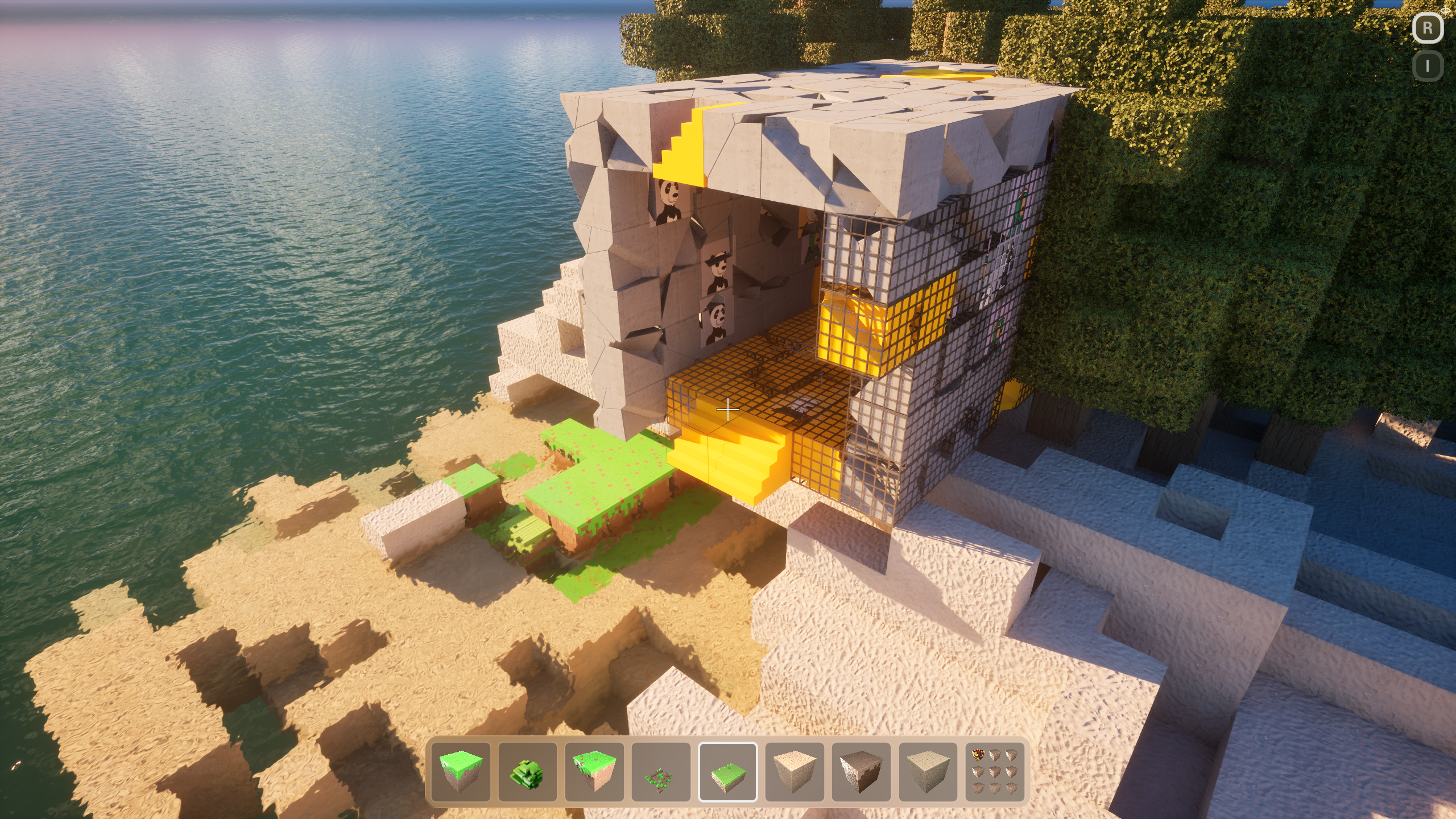
- camera
- in-game camera
- captured
- 09:14
- source
- Playtest camera
The tree line eats the path. The landing blocks sit in the shadow under the canopy.
what you felt
- The landing blocks sit in the shadow under the canopy.
- The far bank disappears into the trees.
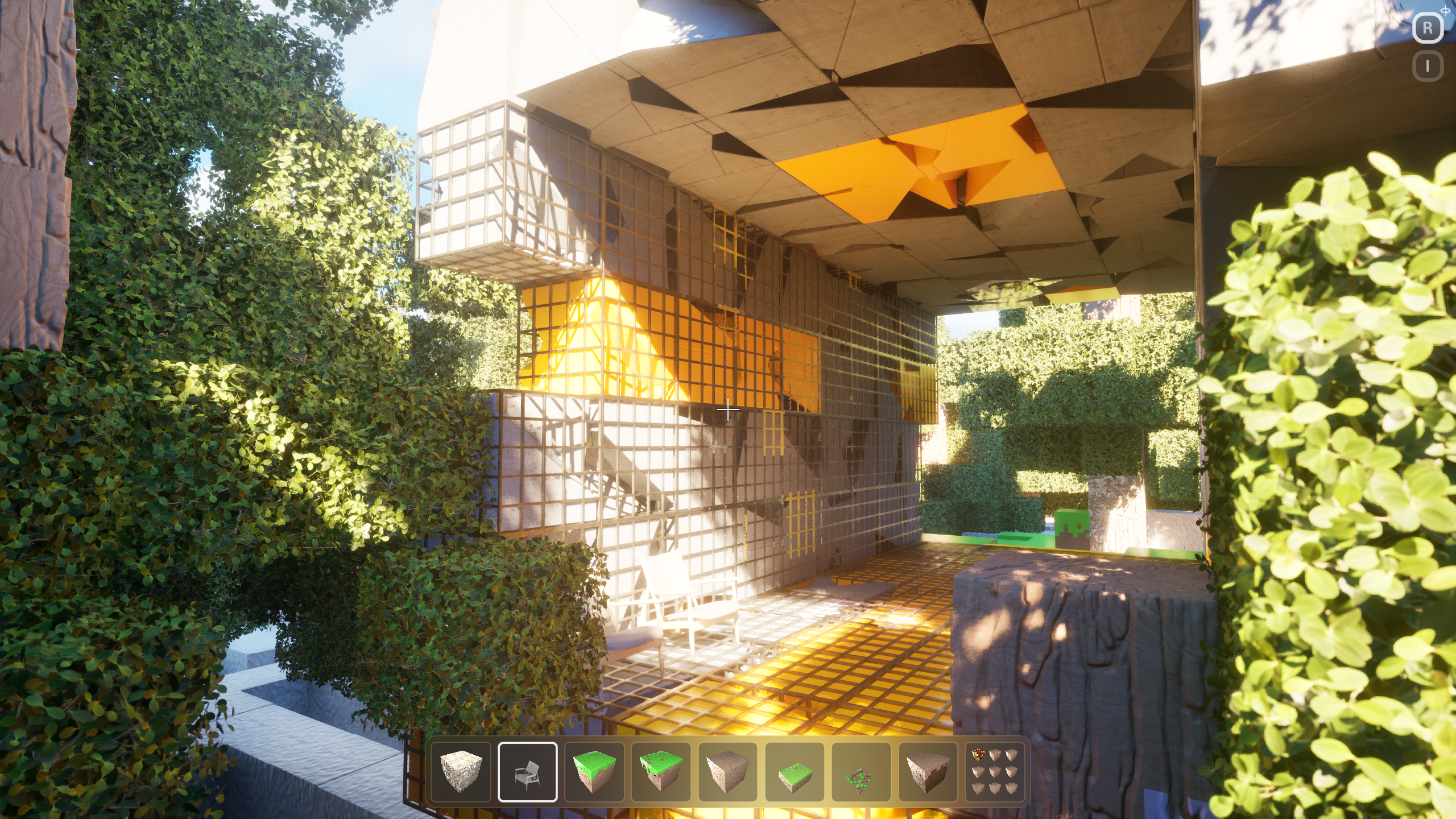
- camera
- in-game camera
- captured
- 09:16
- view
- in-game camera
Sun on the grove is readable. The far bank still disappears into the trees.
proposal and evidence
checked against the stills- The landing blocks sit in the shadow under the canopy.
- The far bank disappears into the trees.
- Sun on the grove is readable; the cave mouth still sits in hard shadow.
Raise bounce strength and rim-light the flag. Recapture Play from the same camera.
Evidence bundle / proof-pack references
2 pinned / click to expand
09:18:02 Cook started on this machine
09:18:41 Play: Maze
09:19:08 Wrote Binaries/Win64/Bloxiti.exe
09:19:44 Waiting on playtest review
Capture the moment behind the feeling.
Mark a moment while you play. Studio keeps it with the project so you can review it afterward without interrupting the session.
Mark what you noticed
Preserve the moment without turning play into ticket writing.
Keep context attached
The play session, project state, and proposed tune stay together.
Keep the capture intact
Studio checks that the capture has not changed. You still decide whether the game feels good.
Compare A and B in the game—not in a disconnected report.
Switch between the current and proposed values during a configured replay window. You decide whether B feels better or A should remain.
Current value — A
The live value you are judging from before the proposed tune.
Proposed value — B
The candidate change returned for comparison in the same play context.
Live A/B preview
Switch A and B inside a configured replay window so the comparison stays in the game.
Accept B or keep A
Your creative verdict chooses which value should remain after the preview.
One clear creative decision
The call is recorded as a decision. It is not treated as technical verification of the write.
See the saved result—and a way back when supported.
Saved value
Read the value from the project after the change is saved.
Before and after
Compare what was requested with what the project now contains.
Change record
Keep the playtest moment, final value, checks, and exact change together.
Supported reversal
When available, Reverse makes a new change back through the same supported path.
You judge the game. Studio confirms the value.
Choose A or B based on what feels right. Studio then reads the value from the project so you can confirm that your choice was saved.
What to know
Human creative call
Taste stays with you. Accept B or keep A records what felt right.
Saved project value
Studio shows the value now stored in the project. It does not make the creative choice for you.
Reversal when supported
When a change can be reversed, Studio shows that option. It never promises undo for every action.